AI Chips vs CPUs vs GPUs vs TPUs
How CPUs, GPUs, TPUs, NPUs and other AI accelerators differ in design, what each is good at for AI training and inference, and how to choose between them.
A CPU is a general-purpose processor built to run a few streams of instructions very fast. A GPU trades single-thread speed for thousands of parallel threads, which suits the matrix math at the heart of AI. A TPU is Google's custom chip built specifically for that matrix math. "AI chip" is the umbrella term for any processor designed to speed up machine learning, including GPUs, TPUs, the NPUs in laptops and phones, and custom accelerators from cloud providers.
The choice between them comes down to one question: how much of your workload is large, regular matrix multiplication? The more it is, the more a specialized chip pays off.
Why AI needs different hardware
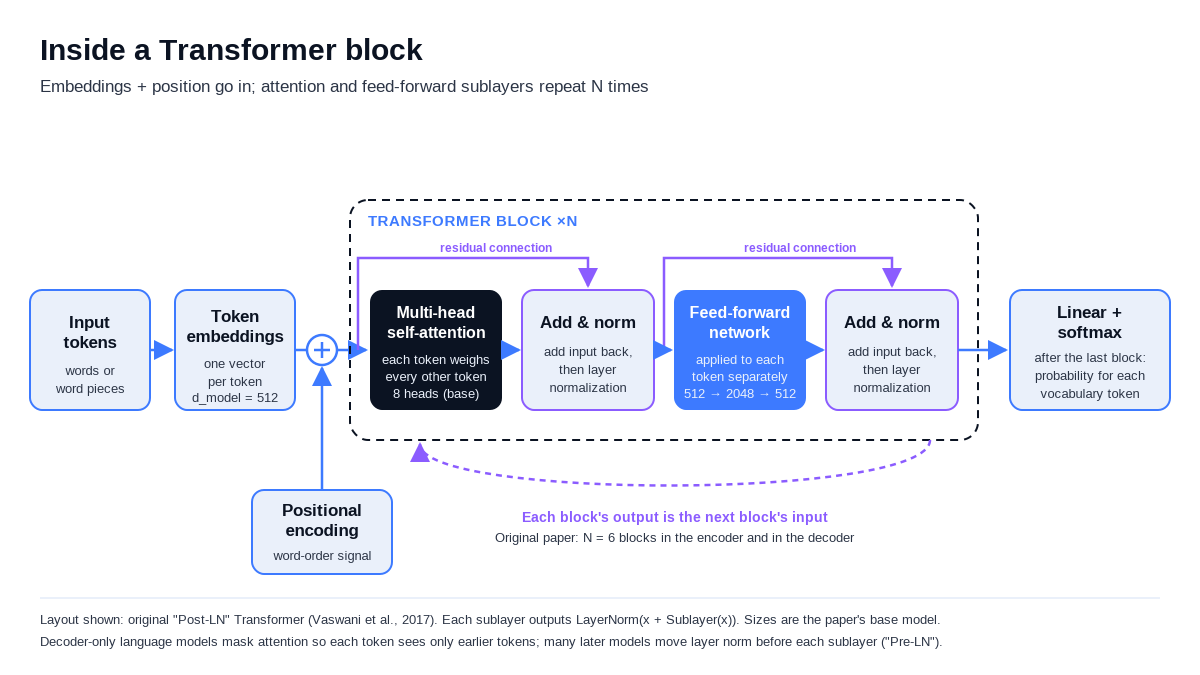
Neural networks spend most of their time multiplying large grids of numbers (matrices) and adding the results. A Transformer layer, for example, multiplies every token's vector by learned weight matrices again and again; our Transformer explainer walks through where those multiplications happen.
That work has two useful properties. It is massively parallel: millions of multiply-adds don't depend on each other. And it is predictable: the same operations repeat with little branching. Hardware that gives up flexibility in exchange for doing huge numbers of multiply-adds at once wins on speed and energy.
The two phases of AI stress hardware differently. Training runs forward and backward passes over huge datasets; inference runs forward passes for every user request and is often limited by memory bandwidth and latency. Our guide to AI training vs inference explains the split.
CPUs: the generalist
NVIDIA's CUDA documentation describes the design goal plainly. A CPU "is designed to excel at executing a serial sequence of operations (called a thread) as fast as possible" and "can execute a few tens of these threads in parallel" [1]. CPUs "dedicate more transistors to data caching and flow control" [1]. That is what makes them good at the branching, unpredictable logic of operating systems, databases and application code.
CPUs are not out of the AI picture. Intel builds an accelerator called Advanced Matrix Extensions (AMX) into its recent Xeon server processors. Intel describes its tile-multiply unit as "an accelerator engine attached to the tiles that performs matrix-multiply computations for AI," supporting BF16 for training and inference and int8 for inference [8]. Intel lists AMX in 4th Gen Xeon, 5th Gen Xeon and Xeon 6 processors with P-cores, noting availability varies by model [8].
Google's Cloud TPU documentation recommends CPUs for "quick prototyping that requires maximum flexibility," simple or small models, and models limited by input/output or network bandwidth [4].
Good for: data preparation, orchestration, small models, classic machine learning, and running the rest of the application around an AI model.
GPUs: parallel throughput
GPUs began as graphics processors, and graphics is also massively parallel math. NVIDIA's documentation explains that a GPU "is designed to excel at executing thousands of threads in parallel," trading off lower single-thread performance "to achieve much greater total throughput" [1]. GPUs "devote more transistors to data processing units" rather than caching and control logic [1].
Modern data center GPUs add dedicated matrix hardware. In NVIDIA's Volta-generation V100, for example, each Tensor Core performs a small matrix multiply-and-accumulate, D = A × B + C, on 4×4 matrices, taking FP16 inputs and accumulating in FP16 or FP32 [2]. NVIDIA said at the time that this let the V100 reach "up to 125 Tensor TFLOPS" [2].
Software is a big part of the GPU's position. NVIDIA's CUDA platform, introduced in 2006, lets developers run general computation on GPUs without graphics APIs, and libraries such as cuBLAS and cuDNN provide tuned building blocks [1]. AMD offers ROCm, which it calls "the AMD open software stack for GPU-accelerated computing" [9].
Google's TPU documentation recommends GPUs for models with custom operations that must run partly on CPUs, and for "medium-to-large models with larger effective batch sizes" [4].
Good for: training and serving most deep learning models, research that needs flexibility, and any workload that uses the broad GPU software ecosystem.
TPUs: built for matrix math
Google describes Tensor Processing Units as its "custom-developed, application-specific integrated circuits (ASICs)" for accelerating machine learning [4]. The core of each TPU is a matrix multiply unit (MXU) arranged as "a 128x128 systolic array" [4]. In a systolic array, data flows in lockstep through a grid of multiply-add cells, with each cell passing values on to its neighbors. The idea is that each number fetched from memory gets reused many times inside the grid.
The first TPU was an inference chip. A 2017 paper by Google engineers describes a chip deployed in Google data centers since 2015 that "accelerates the inference phase of neural networks," built around a 65,536-unit 8-bit multiply-accumulate matrix unit [6]. Later generations added training.
For most organizations, TPUs are something you rent through Google Cloud rather than buy as chips. Google recommends them for "models dominated by matrix computations," "models that train for weeks or months," and large models with large batch sizes [4]. Google also says Cloud TPUs are not suited to programs with frequent branching, workloads needing high-precision arithmetic, or custom operations inside the main training loop [4].
In 2026, Google split its eighth TPU generation into two chips: TPU 8t for "massive, compute-intensive training workloads" and TPU 8i, "designed with more memory bandwidth to serve the most latency-sensitive inference workloads" [7]. We covered that launch in Google's TPU 8t and 8i vs NVIDIA's AI chips.
Good for: large-scale training and serving on Google Cloud, especially with frameworks that compile well to TPUs.
NPUs and other AI chips
"AI chip" covers several more categories.
NPUs (neural processing units) are low-power AI accelerators built into PC and phone processors. They run on-device features without draining the battery the way a GPU might. Microsoft's Copilot+ PC requirements, as of November 2026, call for "a compatible processor or System on a Chip (SoC) with an NPU capable of performing 40+ TOPS," along with 16 GB of DDR5/LPDDR5 memory and a 256 GB SSD/UFS [11]. TOPS means trillions of operations per second.
Phones and PCs also run small language models locally. Apple's 2025 technical report describes a roughly 3-billion-parameter on-device model optimized for Apple silicon [12]. Our explainer on small vs large language models covers why that's possible.
Custom cloud accelerators are chips that cloud providers design for their own data centers. AWS, for example, describes Trainium as a "purpose-built AI chip" for training and inference, and names Trainium2 and Trainium3 on its product page [10].
Specs: what vendors publish
Vendor spec sheets are useful but hard to compare. Numbers below are quoted exactly from the vendor pages as of November 2026. They are peak theoretical figures, not measured performance on any workload.
Spec (per chip) | NVIDIA H100 SXM [3] | Google TPU7x (Ironwood) [5] |
|---|---|---|
BF16 | "1,979 teraFLOPS" (with sparsity) | 2307 TFLOPs peak |
FP8 | "3,958 teraFLOPS" (with sparsity) | 4614 TFLOPs peak |
High-bandwidth memory | "80GB" | 192 GiB |
Memory bandwidth | "3.35TB/s" | 7380 GBps |
Power | "Up to 700W (configurable)" | not listed on the page |
Why you shouldn't read this as a head-to-head:
- Different generations. The two chips come from different product generations, and Google has since announced its eighth TPU generation [7]. We use the H100 because NVIDIA's page publishes a complete spec table.
- Sparsity. NVIDIA marks its Tensor Core figures "with sparsity," a technique that skips certain zero values; dense performance is lower. Google's table doesn't say whether its figures assume sparsity [3][5].
- Systems matter more than chips. Large models run on thousands of chips. Interconnect bandwidth, software and how well a model maps to the hardware often decide real throughput.
CPU vs GPU vs TPU vs NPU at a glance
CPU | GPU | TPU | NPU | |
|---|---|---|---|---|
Design goal | Fast serial execution, flexible control | Massive parallel throughput | Matrix multiplication at scale | Efficient on-device AI |
AI hardware inside | Matrix extensions on some chips (e.g., Intel AMX) [8] | Tensor Cores (NVIDIA) [2] | Systolic-array matrix units (MXU) [4] | Dedicated neural engines |
Best AI fit | Small models, preprocessing, orchestration | Most training and inference | Large training and serving on Google Cloud | Local features on PCs and phones |
Weak spot | Low throughput on large models | Power draw, supply, cost | Branch-heavy or high-precision work [4]; mostly tied to Google Cloud | Limited memory and model size |
How you get it | Every computer | Buy, or rent in the cloud | Mostly rented through Google Cloud | Built into devices |
How to choose
- Experimenting or running small models? Start on a CPU or a single GPU. Flexibility matters more than peak speed.
- Training or fine-tuning neural networks? GPUs are the default because almost every framework and tutorial assumes them. Consider TPUs if you're on Google Cloud and your model is dominated by large matrix operations [4].
- Serving a model to many users? Focus on memory capacity and bandwidth, cost per token, and latency, not peak FLOPS. Inference-specialized chips are increasingly common [7].
- Building on-device features? Target the NPU and pick a small or quantized model; check whether your users' devices meet requirements like Microsoft's 40+ TOPS threshold [11].
- Locked into a software stack? Porting costs can outweigh hardware savings. Check framework support for CUDA, ROCm, or TPU compilers before you commit.
- Renting rather than buying? Our guide to cloud computing explains the rental model most teams use for accelerators.
Outlook
Two trends are clear from the sources. First, specialization is increasing: Google now builds separate chips for training and inference [7], and CPU, PC and phone makers are adding dedicated AI hardware [8][11][12]. Second, hardware keeps getting cheaper and more efficient. Stanford HAI's 2025 AI Index reports that hardware costs have been falling about 30% per year and energy efficiency improving about 40% per year [13].
Which architecture "wins" is the wrong question. Most real AI systems use several: CPUs to run the application, GPUs or TPUs in the data center, and NPUs on the device in your hand.
Frequently asked questions
Can I run AI on a CPU?
Yes. Small models, classic machine learning and many inference tasks run fine on CPUs, and some server CPUs include matrix accelerators such as Intel AMX for deep learning [8]. Large models are much slower on CPUs than on GPUs or TPUs because CPUs run far fewer threads in parallel [1].
Is a TPU better than a GPU?
Neither is better in general. TPUs are built for large matrix workloads and Google recommends them for long training runs and big batches, but they're poorly suited to branch-heavy code or custom operations [4], and most teams can get them only by renting through Google Cloud. GPUs are more flexible and have the broadest software support.
What does TOPS mean on a laptop spec sheet?
TOPS stands for trillions of operations per second, a peak measure of how many simple math operations an NPU can do. Microsoft requires an NPU capable of 40+ TOPS for Copilot+ PCs [11]. Like all peak figures, it doesn't tell you real-world performance on a given app.
Why are AI chips described in "FLOPS" with different number formats?
FLOPS counts floating-point operations per second, and chips run faster at lower precision. A chip can do more FP8 operations than BF16 operations per second, which is why vendors list several figures [3][5]. Lower precision saves memory and power but can reduce accuracy; see our upcoming explainer on quantization.
What is a Tensor Core?
It is a specialized unit inside NVIDIA GPUs that performs small matrix multiply-and-accumulate operations in one step. In the Volta-generation V100, each one computed D = A × B + C on 4×4 matrices using FP16 inputs with FP16 or FP32 accumulation [2].
Sources
- CUDA Programming Guide: 1.1 Introduction, NVIDIA, v13.5 (last updated Oct 31, 2026).
- Programming Tensor Cores in CUDA 9, NVIDIA Technical Blog, October 2017.
- NVIDIA H100 Tensor Core GPU, NVIDIA product page, specs as of November 2026.
- Introduction to Cloud TPU, Google Cloud documentation.
- TPU7x (Ironwood), Google Cloud documentation, specs as of November 2026.
- In-Datacenter Performance Analysis of a Tensor Processing Unit, Jouppi et al., arXiv, 2017.
- Our eighth generation TPUs: two chips for the agentic era, Google, 2026.
- What Is Intel Advanced Matrix Extensions (Intel AMX)?, Intel.
- What is ROCm?, AMD documentation.
- AI Accelerator - AWS Trainium, Amazon Web Services.
- Windows 11 Specs and System Requirements, Microsoft, as of November 2026.
- Apple Intelligence Foundation Language Models: Tech Report 2025, Apple, arXiv, 2025.
- The 2025 AI Index Report, Stanford HAI.