What Is Cloud Computing? Complete Guide
Cloud computing explained using NIST's definition: five essential traits, IaaS vs PaaS vs SaaS, public, private and hybrid clouds, and who secures what.
Cloud computing is a way of renting computing power, storage and software over a network instead of owning and running the hardware yourself. The U.S. National Institute of Standards and Technology (NIST) defines it as "a model for enabling ubiquitous, convenient, on-demand network access to a shared pool of configurable computing resources" that can be rapidly provisioned and released with minimal management effort or service provider interaction [1][2]. In practice, you pay for what you use, scale up or down in minutes, and let someone else run the data center.
The official definition, in plain terms
The definition most of the industry still works from is NIST Special Publication 800-145, written by Peter Mell and Tim Grance and published in September 2011 [1]. It is short, only a few pages long, and it is deliberately not tied to any vendor. NIST says its service and deployment models form "a simple taxonomy" that isn't meant to prescribe how anyone builds or sells cloud services [2].
The definition has three layers: five essential characteristics, three service models and four deployment models [2]. If you understand those twelve ideas, you understand what people mean when they say "cloud," and you can tell when something sold as cloud doesn't really qualify.
The five essential characteristics
A service is a cloud, in NIST's terms, only if it has all five of these traits [2]:
- On-demand self-service. You provision servers or storage yourself, automatically, without a human at the provider approving each request.
- Broad network access. Capabilities are reachable over the network through standard mechanisms, from phones, laptops and workstations alike.
- Resource pooling. The provider serves many customers from shared physical and virtual resources (a multi-tenant model). You usually don't know or control the exact location of your resources, though you may be able to choose a country, state or data center.
- Rapid elasticity. Capacity scales out and back in, sometimes automatically, in line with demand. To the customer it often appears unlimited.
- Measured service. Usage is metered (storage, processing, bandwidth, active user accounts) and can be monitored and reported. NIST notes this is typically done on a pay-per-use basis.
A useful test: a hosting contract where you email a sales rep, wait a week for a server and pay a flat annual fee misses at least three of these. A self-service portal where you start a virtual machine in two minutes and pay by the second meets all five.
The three service models: IaaS, PaaS and SaaS
The service models describe how much of the technology stack the provider manages and how much you manage. NIST's wording is precise about the dividing lines [2].
- Infrastructure as a Service (IaaS). You rent processing, storage and networks and can run arbitrary software, including your own operating system. You control the OS, storage and deployed applications, and possibly some networking components such as host firewalls. The provider runs the underlying infrastructure.
- Platform as a Service (PaaS). You deploy applications you built or acquired onto the provider's platform, using the languages, libraries and tools it supports. You control your applications and possibly some settings for the hosting environment. You don't manage servers, operating systems or storage.
- Software as a Service (SaaS). You use the provider's finished application, typically through a web browser (NIST's example is web-based email) or an API. You don't manage anything underneath, apart from limited user-specific settings.
Comparison: who manages what
Layer | On-premises | IaaS | PaaS | SaaS |
|---|---|---|---|---|
Application | You | You | You | Provider |
Your data, users and access settings | You | You | You | You |
Runtime, libraries | You | You | Provider | Provider |
Operating system | You | You | Provider | Provider |
Virtualization, servers, storage, network | You | Provider | Provider | Provider |
Physical data center | You | Provider | Provider | Provider |
Typical example | Your own server room | Renting virtual machines | Deploying code to a managed app platform | Web email, office suites, CRM |
The table is a simplification of NIST's definitions [2]. Real products blur the lines. A managed container service, for example, sits somewhere between IaaS and PaaS: the provider runs the control software, while you still package and configure your workloads. Our explainer on Kubernetes architecture walks through what that control software actually does.
The four deployment models
Deployment models answer a different question: who the cloud infrastructure is for, not what layer you consume [2].
- Public cloud. Open to the general public and located on the provider's premises. It may be run by a business, an academic institution, a government organization or a mix.
- Private cloud. Provisioned for one organization's exclusive use. It may be owned and run by that organization, a third party or both, and it can sit on or off premises. "Private" describes who uses it, not where it is.
- Community cloud. Shared exclusively by a specific community with common concerns, such as mission, security requirements or compliance obligations.
- Hybrid cloud. Two or more distinct clouds (private, community or public) that stay separate but are bound together by technology that lets data and applications move between them. NIST's example is "cloud bursting," where overflow load spills from one cloud to another.
A common misunderstanding is that a private cloud must be in your own building. Under NIST's definition, a dedicated environment hosted by a third party in its facility can still be a private cloud, as long as it is provisioned for your exclusive use and has the five essential characteristics [2].
How it works under the hood
NIST describes cloud infrastructure as two layers [2]. The physical layer is the hardware: servers, storage and network equipment. The abstraction layer is the software deployed across that hardware that "manifests the essential cloud characteristics." That abstraction layer is what turns a rack of servers into self-service, pooled, elastic and metered capacity.
Three technologies do most of that work:
- Virtualization splits one physical server into many isolated virtual machines, which is what makes resource pooling practical.
- Containers and orchestration package applications with their dependencies and schedule them across many machines. Kubernetes, which Google open-sourced in 2014, is one such platform; its documentation describes it as a platform for "managing containerized workloads and services" [6].
- APIs and automation are what make self-service and elasticity possible. Major providers expose their services through APIs, so actions you click through in a console can usually also be scripted, which is why infrastructure can be defined in code and rebuilt on demand.
Who secures what: the shared responsibility model
Moving to the cloud doesn't hand off all security work. Major providers describe a split that Amazon Web Services calls security "of" the cloud versus security "in" the cloud [4]. The provider protects the infrastructure that runs its services: hardware, software, networking and facilities. The customer is responsible for what it puts there and how it configures it.
How much falls on you depends on the service model. AWS gives two contrasting examples [4]:
- On a virtual machine service (IaaS), the customer handles guest operating system updates and patches, any installed applications and the firewall configuration.
- On abstracted services such as object storage, the provider runs the OS and platform, and the customer manages its data, encryption choices, classification and access permissions.
Some controls are shared, with each party covering its own layer. Patching is the clearest case: the provider patches its infrastructure and you patch your guest OS and applications [4].
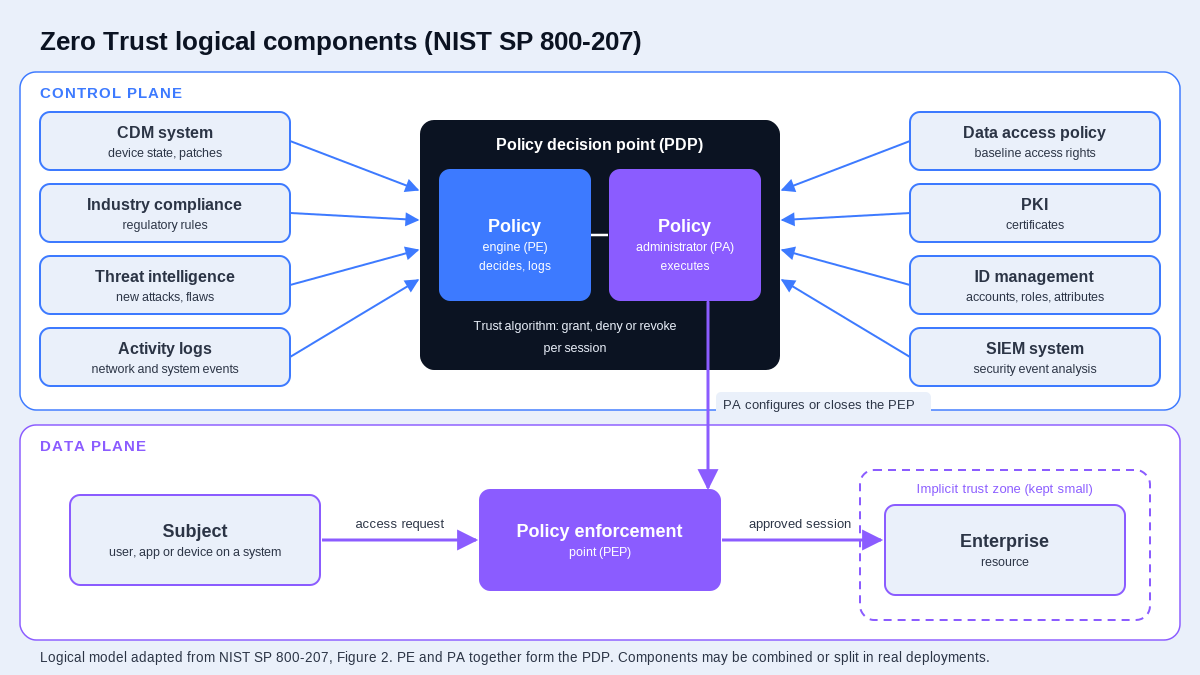
The practical lesson is that the customer's half holds the settings that are easiest to get wrong: permissions set too broadly, storage left open to the internet, or credentials leaked. A Zero Trust architecture, covered in our separate explainer, is one framework organizations use to tighten that half, because it stops treating any network location as automatically trusted.
Real-world uses
The uses below are documented categories rather than vendor case studies:
- Running websites and business applications on rented virtual machines or managed platforms, scaling with traffic.
- Using SaaS for email, office productivity, customer relationship management and collaboration, which is NIST's own illustration of the SaaS model [2].
- Backup and disaster recovery, using cheap, durable cloud storage in a different region from the main site.
- Data analytics and AI, where elastic capacity lets teams rent large amounts of compute for a training run or batch job and then release it.
- Specialized hardware on demand. The big providers now rent access to experimental systems as well as standard servers. We covered one example in our look at quantum computing on AWS, Azure and GCP.
- Government workloads. In the U.S., federal agencies buying cloud services rely on FedRAMP, a program run by the General Services Administration whose public marketplace is a searchable database of FedRAMP certified cloud services, authorizing agencies and recognized assessors [5].
Benefits
- Speed. Self-service means a team can have infrastructure in minutes instead of waiting on procurement.
- Elasticity. You can match capacity to demand rather than buying for peak load and leaving hardware idle the rest of the year.
- Operating expense instead of capital expense. Metered, pay-per-use billing turns large upfront purchases into ongoing costs. Whether that's cheaper depends on how steady your workload is.
- Less undifferentiated work. Each step up the stack, from IaaS to PaaS to SaaS, hands more patching and maintenance to the provider.
- Geographic reach. Resource pooling across regions lets you put workloads closer to users or keep copies in separate locations.
Limitations and risks
NIST's companion publication, SP 800-146 (May 2012), was written specifically to weigh cloud's benefits against its open issues and risks [3]. The main ones still apply:
- Configuration risk. Under the shared responsibility model, misconfigured access controls are the customer's problem, and the cloud's ease of provisioning also makes mistakes easy to replicate at scale [4].
- Less direct control and visibility. By design, you don't control or know the exact location of pooled resources [2]. That matters for data residency rules and incident investigations.
- Cost surprises. Measured service cuts both ways. Usage you forgot about is still billed.
- Dependency and lock-in. Higher-level managed services are productive but often proprietary, which makes moving between providers harder.
- Outages and concentration. When many organizations rely on the same provider region, one failure has wide impact. Provider business decisions matter too; see our coverage of AI and cloud restructuring at Oracle.
- Backups aren't automatically safe. U.S. agencies warn that automated cloud sync isn't a backup strategy on its own: if local files are encrypted by ransomware, the encrypted versions can sync to the cloud and overwrite good copies [7]. MITRE ATT&CK also documents attackers deleting cloud backups, versioning and snapshots to block recovery, and recommends enabling versioning and copying backups to separate accounts or regions [8]. Our explainer on how ransomware attacks work covers the defensive side.
How to decide: which model fits
There is no single right answer, but these questions narrow it down quickly:
- Do you need to control the operating system? If yes (custom kernels, specific agents, legacy software), you are in IaaS territory.
- Is the value in your code or in the infrastructure? If your team mainly writes application code, PaaS or managed containers remove a lot of operational work.
- Is it a commodity function? Email, document editing, payroll and CRM are almost always better bought as SaaS than built.
- What do your regulators require? Data residency, sector rules and, for U.S. federal work, FedRAMP authorization [5] can rule out options before price is even discussed.
- How steady is the load? Spiky or unpredictable demand rewards elasticity. Flat, predictable demand narrows the cost gap with owned hardware.
- Who will own your half of security? Before migrating, name the people responsible for identity, configuration and backups on the customer side of the shared responsibility line [4].
Most organizations end up with a mix: SaaS for commodity tools, PaaS or containers for new applications and IaaS or on-premises systems for workloads that are hard to move. That mix is why "hybrid" appears so often in cloud strategy discussions, though not every mix meets NIST's stricter definition of a hybrid cloud, which requires the environments to be bound together for data and application portability [2].
Outlook
NIST's 2011 definition has held up because it describes properties rather than products. New offerings, from serverless functions to rented AI accelerators, still map onto the same five characteristics and three service models. What keeps changing is how far up the stack providers reach and how much of the customer's half of security can be automated. Expect regulation and procurement rules, such as FedRAMP's ongoing program updates in the U.S. [5], to keep shaping which services organizations can adopt as quickly as technology does.
Frequently asked questions
What is the simplest definition of cloud computing?
Cloud computing means using computing resources (servers, storage, databases, software) over a network on demand, instead of owning and running them yourself. NIST's formal definition adds that the resources are shared, quickly provisioned and released, and need minimal provider involvement [1].
What is the difference between IaaS, PaaS and SaaS?
They differ in how much of the stack you manage. With IaaS you manage the operating system and everything above it; with PaaS you manage only your application and its settings; with SaaS you just use the provider's finished application [2].
Is a private cloud more secure than a public cloud?
Not automatically. A private cloud gives one organization exclusive use of the infrastructure, but security still depends on configuration, identity controls, patching and monitoring. In a public cloud, the provider secures the infrastructure and the customer secures its own configuration and data [4].
Is hybrid cloud the same as multi-cloud?
Not quite. NIST defines hybrid cloud as two or more distinct cloud infrastructures bound together by technology that enables data and application portability [2]. Using several public cloud providers for separate workloads, without that binding, is usually called multi-cloud.
Does moving to the cloud mean the provider handles security?
Only part of it. Providers secure the underlying infrastructure, while customers remain responsible for their data, identity and access settings, and, on IaaS, their operating systems and applications [4].
Is NIST's 2011 definition still current?
As of November 2026, NIST lists SP 800-145 as a final publication, with no withdrawal notice [1]. Its models are deliberately general, which is why they still describe newer services well.
Sources
- NIST, "SP 800-145, The NIST Definition of Cloud Computing," September 2011. https://csrc.nist.gov/pubs/sp/800/145/final
- NIST, SP 800-145 full text (PDF). https://nvlpubs.nist.gov/nistpubs/Legacy/SP/nistspecialpublication800-145.pdf
- NIST, "SP 800-146, Cloud Computing Synopsis and Recommendations," May 2012. https://csrc.nist.gov/pubs/sp/800/146/final
- Amazon Web Services, "Shared Responsibility Model." https://aws.amazon.com/compliance/shared-responsibility-model/
- U.S. General Services Administration, FedRAMP. https://www.fedramp.gov/
- The Kubernetes Authors, "Overview." https://kubernetes.io/docs/concepts/overview/
- CISA, FBI, NSA and MS-ISAC, "#StopRansomware Guide," October 2023 (PDF). https://www.cisa.gov/sites/default/files/2025-03/StopRansomware-Guide%20508.pdf
- MITRE ATT&CK, "Inhibit System Recovery, Technique T1490." https://attack.mitre.org/techniques/T1490/