What Is Cloud-Native Architecture?
Cloud-native architecture builds loosely coupled, automated, observable systems. The CNCF definition, core building blocks, trade-offs and when it fits.
Cloud-native architecture is a way of designing and running software as loosely coupled components that are automated, observable and built to change often. The Cloud Native Computing Foundation (CNCF) defines it as practices that let organizations build and deploy workloads "in a programmatic and repeatable manner," characterized by "loosely coupled systems that interoperate in a manner that is secure, resilient, manageable, sustainable, and observable" [1]. It describes how software is built and operated, not where it runs.
For background on cloud infrastructure itself, see our complete guide to cloud computing.
The definition, unpacked
The CNCF's current definition is version 1.1, approved by its Technical Oversight Committee and Governing Board on February 26, 2024 [1]. Three parts deserve attention.
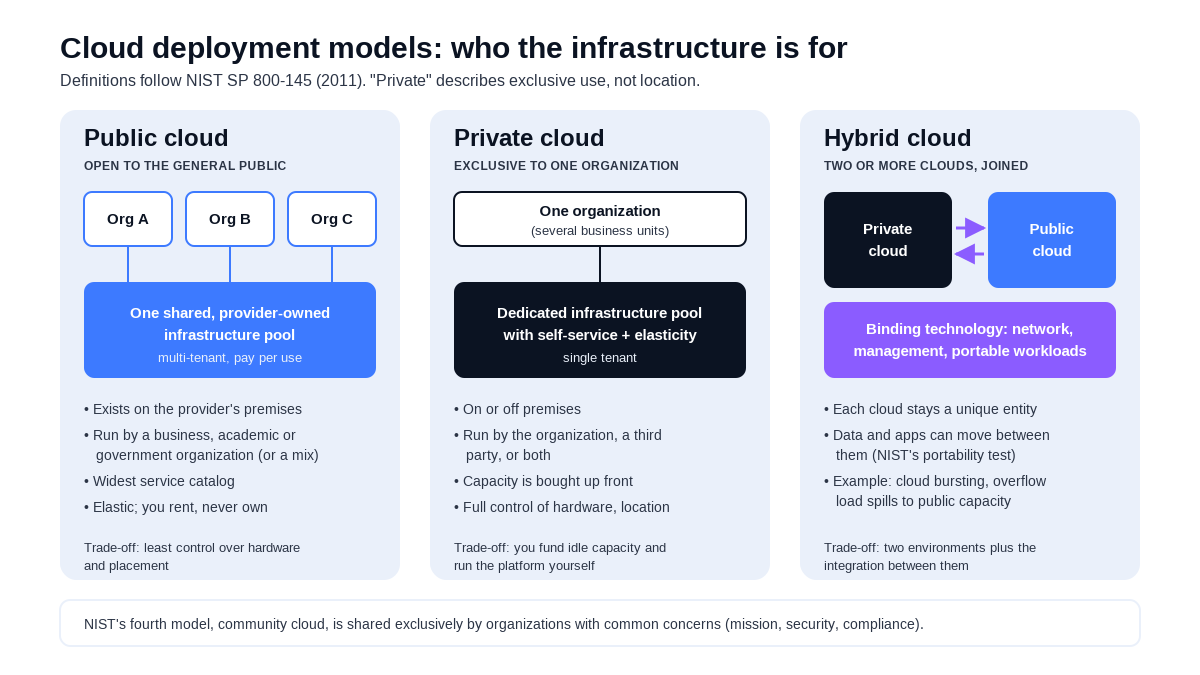
1. It's environment-neutral. Cloud-native practices apply to "public, private, hybrid cloud" environments [1]. A Kubernetes cluster in your own data center can be cloud native. A single large VM lifted into a public cloud usually is not. Our explainer on public, private and hybrid cloud covers those environments.
2. It's defined by properties, not products. The core idea is loosely coupled systems that are secure, resilient, manageable, sustainable and observable [1].
3. Technologies are examples, not requirements. The CNCF says cloud-native systems "typically consist of some combination of containers, service meshes, multi-tenancy, microservices, immutable infrastructure, serverless, and declarative APIs," and stresses that "this list is non-exhaustive" [1].
The payoff, per the CNCF: "Combined with robust automation, cloud native practices allow organizations to make high-impact changes frequently, predictably, with minimal toil and clear separation of concerns" [1]. Hold onto "frequently, predictably." That is the goal every building block serves.
Cloud native vs "in the cloud"
The distinction matters because migrations often stop at hosting. Google Cloud's migration guide makes the point concretely: after a rehost ("lift and shift") migration, workloads "aren't optimized for the cloud" and "don't take full advantage of cloud platform features, such as horizontal scalability, fine-grained pricing, and highly managed services" [7].
Cloud-hosted (lifted and shifted) | Cloud native | |
|---|---|---|
Unit of deployment | Whole application on a VM | Small services, often in containers |
Scaling | Bigger machine (vertical) | More instances of the busy component (horizontal) |
Changes to running systems | Patched in place | Replaced with a new immutable version |
Configuration | Manual or scripted steps | Declared in code; system converges on it |
Failure handling | Avoid failure; manual recovery | Expect failure; automated restart and rerouting |
Release cadence | Infrequent, coordinated | Frequent, independent per service |
Visibility | Host-level monitoring | Metrics, logs and traces across services |
Our guide to cloud migration strategies explains when a lift-and-shift is still the right first step.
The building blocks
Microservices
James Lewis and Martin Fowler's 2014 article describes the microservice style as "an approach to developing a single application as a suite of small services," each running in its own process, communicating through lightweight mechanisms such as HTTP APIs, organized around business capabilities and independently deployable [2]. Independent deployability is what enables frequent change: one team can ship without coordinating a release with every other team.
Containers
Containers package a service with its dependencies into a portable, immutable image. They make "build once, run anywhere" practical across laptops, CI and production. See containers vs virtual machines for how they work and Kubernetes vs Docker for how the tooling fits together.
Orchestration and declarative APIs
Kubernetes describes itself as a platform for managing containerized workloads "that facilitate both declarative configuration and automation" [4]. You declare the desired state (for example, five replicas of a service); controllers continuously work to make reality match. Kubernetes then handles self-healing, rollouts and rollbacks, service discovery and bin packing [4]. Our Kubernetes architecture explainer shows the control loops behind this.
Immutable infrastructure
Instead of patching running servers, you build a new image or machine and replace the old one. That eliminates configuration drift and makes rollbacks a matter of redeploying the previous version. Infrastructure as code extends the same idea to networks, databases and accounts.
Serverless
Serverless platforms push the model further: you deploy functions or containers and the platform handles scaling, including down to zero. See Serverless Computing Explained.
Service mesh
Once you have many services talking to each other, cross-cutting concerns such as encryption, retries and traffic shifting multiply. Istio describes a service mesh as "an infrastructure layer that gives applications capabilities like zero-trust security, observability," plus advanced traffic routing, without changing application code [5]. Its documentation ties the security features to mutual TLS and the traffic features to canary deployments, load balancing and failure recovery [5].
Observability
Loosely coupled systems fail in loosely coupled ways. A single user request may cross a dozen services, so you need metrics, logs and distributed traces to see what happened. See Observability vs Monitoring.
Design principles that hold it together
The Twelve-Factor App methodology, written by engineers drawing on their work on the Heroku platform, is a practical checklist for cloud-native services [3]. A few factors that matter most:
- Config in the environment (Factor III), so the same image runs in every environment.
- Stateless processes (Factor VI), so any instance can serve any request and instances can be replaced freely.
- Disposability (Factor IX): "fast startup and graceful shutdown," which is what makes autoscaling and rolling updates safe.
- Dev/prod parity (Factor X): keep development, staging and production "as similar as possible."
- Logs as event streams (Factor XI), collected by the platform rather than written to local files.
Add two principles implied by the CNCF definition:
- Design for failure. Resilience is in the definition [1]. Assume any instance, node or zone can disappear and build retries, timeouts and redundancy accordingly.
- Automate the toil away. The CNCF names "minimal toil" as a goal [1]. Google's SRE book defines toil as work that is manual, repetitive, automatable, tactical, without enduring value and that grows linearly with the service [6]. Cloud-native platforms exist largely to absorb that work.
Real-world fit
Cloud-native patterns pay off most where change is frequent and load is variable: customer-facing web and mobile backends, APIs, data pipelines with bursty demand and platforms shared by many product teams. Google Cloud's migration guide gives the canonical re-architect example: taking "one large, monolithic workload" and turning it "into several independent microservices" [7].
They pay off least for stable, rarely changed systems with steady load, such as a back-office application that ships twice a year.
Benefits
- Faster, safer change. Independent deployment and automated rollouts let teams ship small changes often [1][2].
- Targeted scaling. Scale the hot component, not the whole application.
- Resilience. Self-healing orchestration restarts and reschedules failed components [4].
- Portability. Containers and declarative configuration run across public, private and hybrid environments [1][4].
- Clear ownership. Services aligned to business capabilities map naturally to teams [2].
Limitations and risks
- Distributed-systems complexity. Network calls replace function calls, which adds latency, partial failures and consistency problems.
- Operational load. Kubernetes, meshes and observability stacks are themselves complex systems to run. Many organizations build a platform team for this; our piece on DevOps vs platform engineering covers that choice.
- Not automatically better. Lewis and Fowler note that some teams find microservices "a productivity-sapping burden" and that "like any architectural style, microservices bring costs and benefits" [2]. They also discuss the case for starting with a well-modularized monolith and splitting later [2].
- Cost surprises. Many small services, sidecars and environments add up. See cloud cost optimization.
- Security surface. More services mean more network paths and identities to secure. See our explainer on zero trust architecture.
How to decide whether to go cloud native
- How often do you need to change it? If the answer is weekly or daily, cloud-native practices earn their keep.
- Does load vary by component? If one part of the system needs ten times the capacity of the rest, independent scaling helps.
- How many teams work on it? Multiple teams on one codebase is a strong signal for service boundaries.
- Do you have platform skills? If not, start with managed services (managed Kubernetes, serverless) rather than running the platform yourself.
- Can you adopt practices before architecture? Containers, CI/CD, infrastructure as code and observability bring benefits even to a monolith, and they're prerequisites for microservices anyway.
A sensible path for many teams: containerize, automate deployment, add observability, then split services out where the boundaries are clear and the benefit is measurable.
Outlook
The current CNCF definition frames cloud native as a set of practices and lists its technologies as non-exhaustive examples [1]. We read that as a signal that the field is maturing from "adopt these tools" toward "operate this way." Expect more emphasis on platform engineering and managed abstractions that hide the complexity, though that is our expectation rather than a CNCF forecast.
Frequently asked questions
Is cloud native the same as microservices?
No. Microservices are one common ingredient. The CNCF definition lists microservices alongside containers, service meshes, immutable infrastructure, serverless and declarative APIs, and says the list is non-exhaustive [1]. A well-automated, observable modular application can share many cloud-native properties.
Do I need Kubernetes to be cloud native?
No. Kubernetes is a widely used way to orchestrate containerized workloads [4], but serverless platforms and managed container services can deliver the same properties. The definition is about loosely coupled, automated, observable systems, not a specific product [1].
Can cloud-native applications run on-premises?
Yes. The CNCF definition explicitly covers public, private and hybrid clouds [1]. Kubernetes runs in private data centers as well as in public clouds.
What is the difference between cloud native and cloud enabled?
"Cloud enabled" usually describes an existing application moved to cloud infrastructure with few changes. Google Cloud notes that such rehosted workloads don't take full advantage of features like horizontal scaling and managed services [7]. Cloud native means designing for those features from the start.
What is the twelve-factor app?
It's a methodology for building software-as-a-service applications, written by contributors who drew on their experience with the Heroku platform [3]. Its twelve factors, such as storing config in the environment and running stateless processes, remain a practical checklist for cloud-native services.
Sources
- Cloud Native Computing Foundation, "CNCF Cloud Native Definition v1.1," approved February 26, 2024. https://github.com/cncf/toc/blob/main/DEFINITION.md
- James Lewis and Martin Fowler, "Microservices," March 25, 2014. https://martinfowler.com/articles/microservices.html
- "The Twelve-Factor App." https://12factor.net/
- Kubernetes, "Overview." https://kubernetes.io/docs/concepts/overview/
- Istio, "What is a service mesh?" https://istio.io/latest/about/service-mesh/
- Google, "Eliminating Toil," in Site Reliability Engineering. https://sre.google/sre-book/eliminating-toil/
- Google Cloud, "Migrate to Google Cloud: Get started." https://cloud.google.com/architecture/migration-to-gcp-getting-started